Accessible Hurricane Tracking Map
CONTEXT
Frequent misinterpretations of hurricane maps reveal a critical gap in climate communication—one that disproportionately affects people with disabilities, non-native English speakers, and individuals with varying levels of scientific literacy. Many existing tools assume prior knowledge, rely heavily on color, and fail to meet basic accessibility standards, limiting their effectiveness during high-stress, time-sensitive situations.
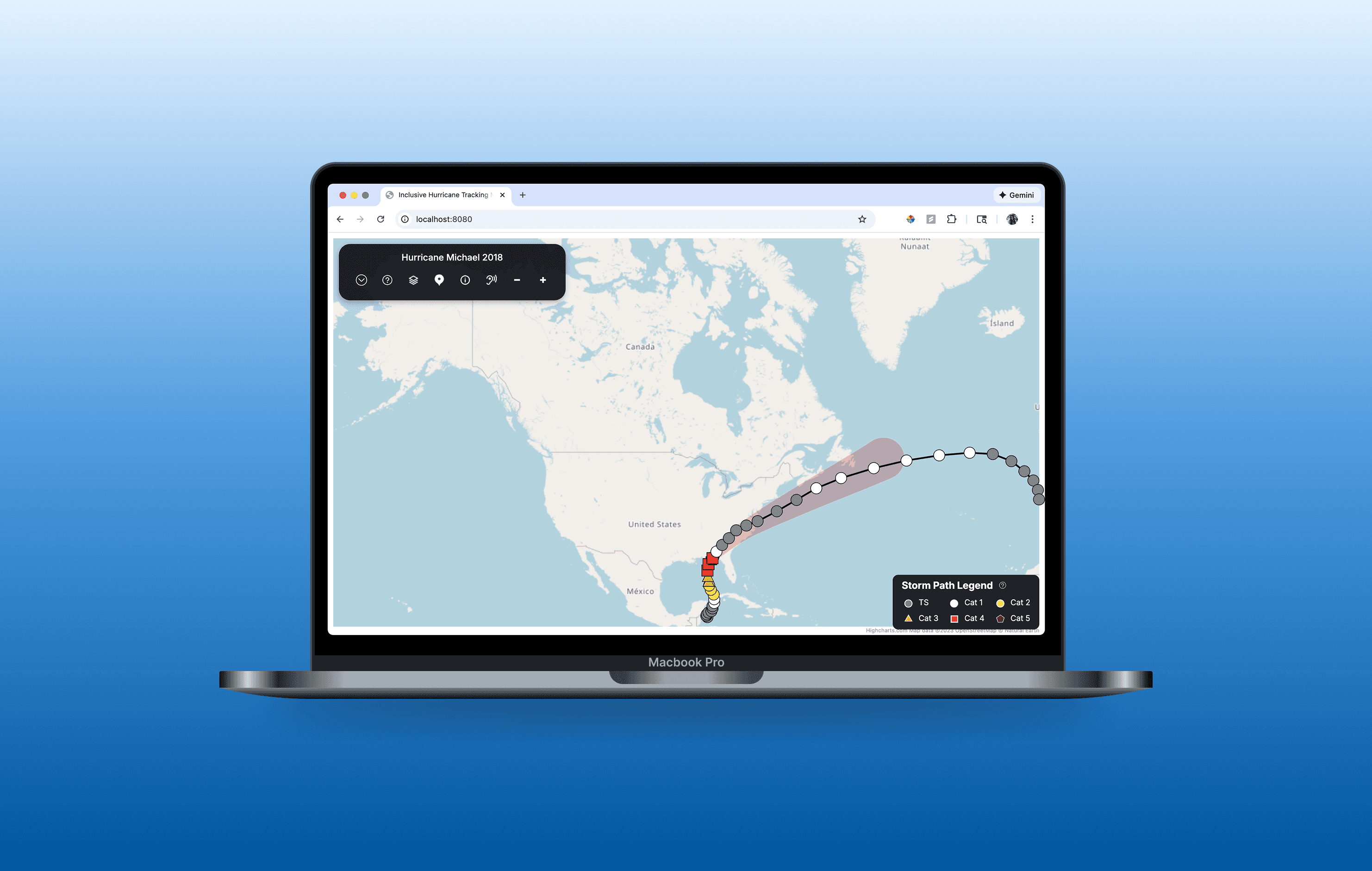
This project explored how hurricane tracking maps can be redesigned to support accessibility, inclusivity, and accurate interpretation. Through literature review, tool audits, user and expert interviews, and iterative prototyping, we designed an interactive hurricane map that prioritizes clarity, personal relevance, and multiple modes of understanding—including visual, textual, and auditory representations of storm data.
research
We grounded the design in evidence, combining secondary research with direct user and expert input.
Examined research on hurricane risk perception, uncertainty visualization, and accessible data communication.
Evaluated existing hurricane maps using an accessibility and inclusivity rubric.
Users misunderstand uncertainty
Reduced visual emphasis on the cone alone, included term definitions, explored alternative ways to contextualize storm behavior.
Color-heavy maps exclude users
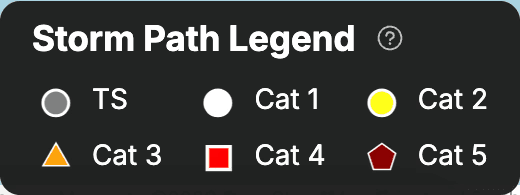
Used shape, contrast, labeling, and sound to communicate severity beyond color.
Users want personal relevance
Added point-of-interest tools to anchor storm data to meaningful locations.
More data ≠ more clarity
Designed a layered system that reveals information progressively to reduce cognitive overload.
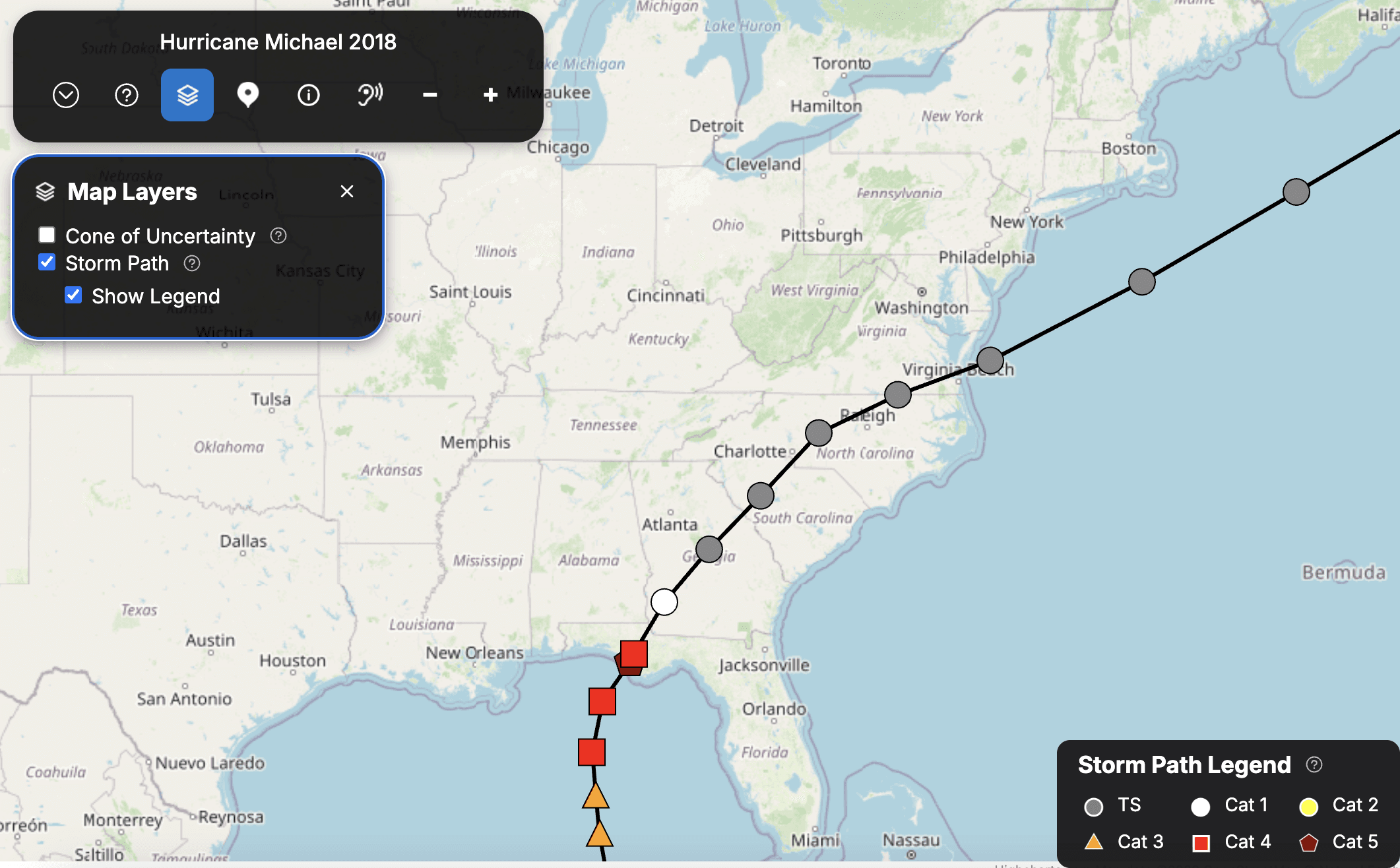
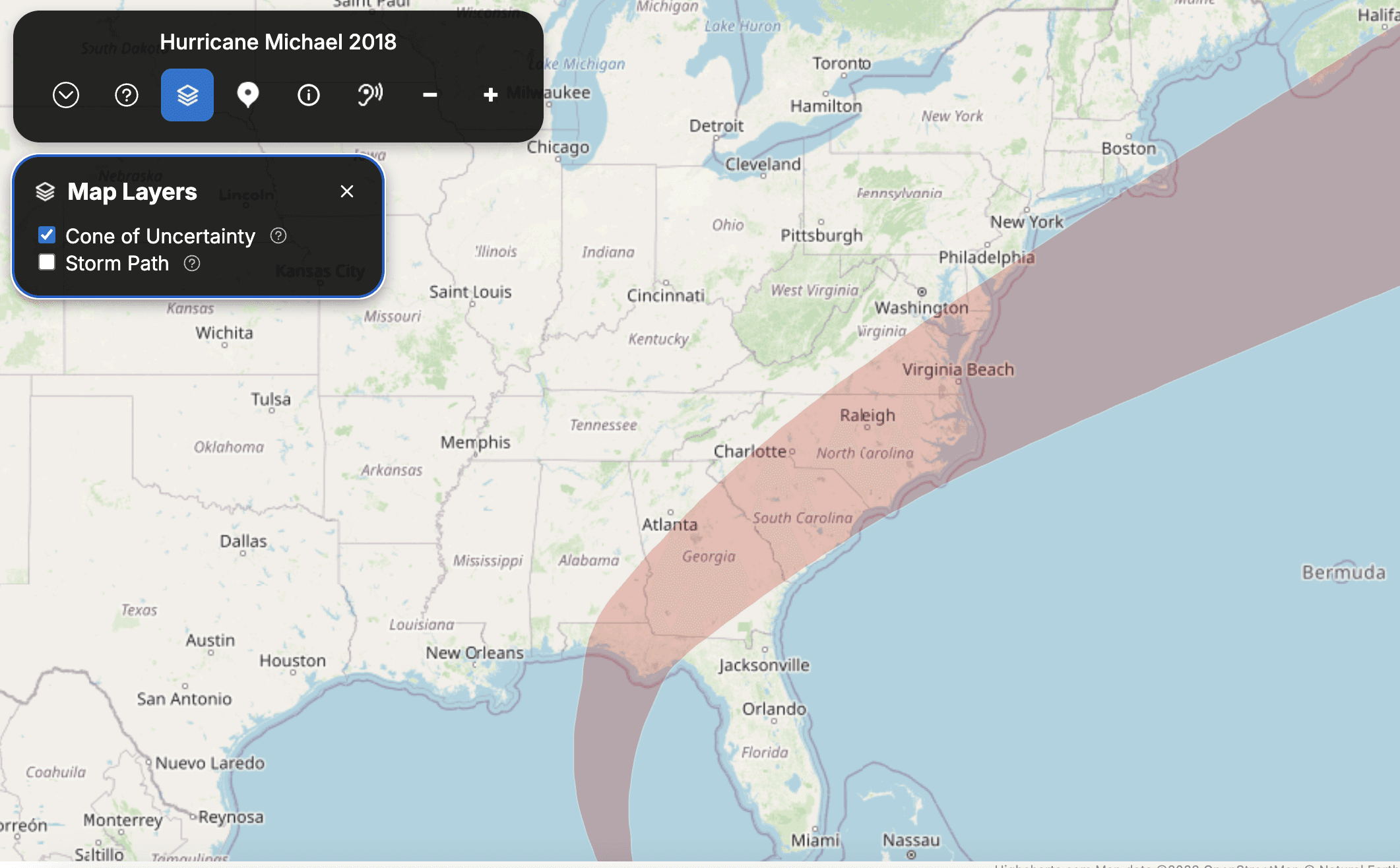


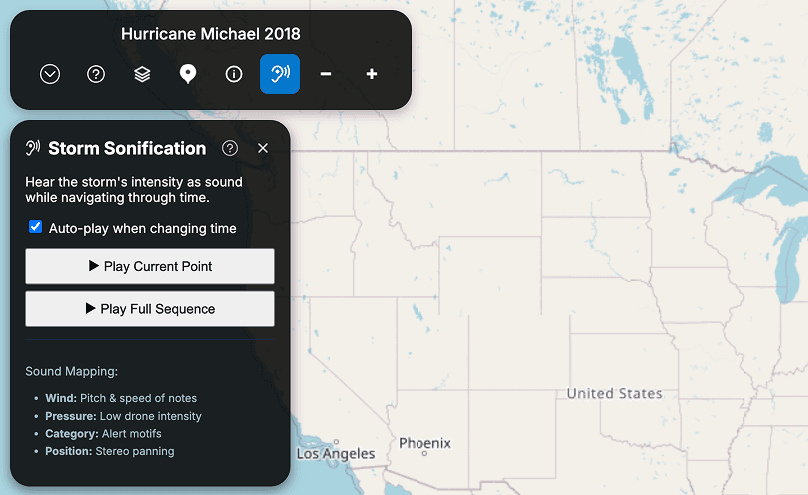
Accessibility was treated as a foundational requirement, not an afterthought.
Full keyboard navigation
Screen reader testing with NVDA
Alternative encodings using shape, pattern, and sound
WHat I Learned
This project reinforced that accessible design is as much about reducing cognitive load as it is about visual compliance. Familiar conventions can still cause harm if they reinforce misunderstanding, and inclusive design requires continual testing with real users—not assumptions.